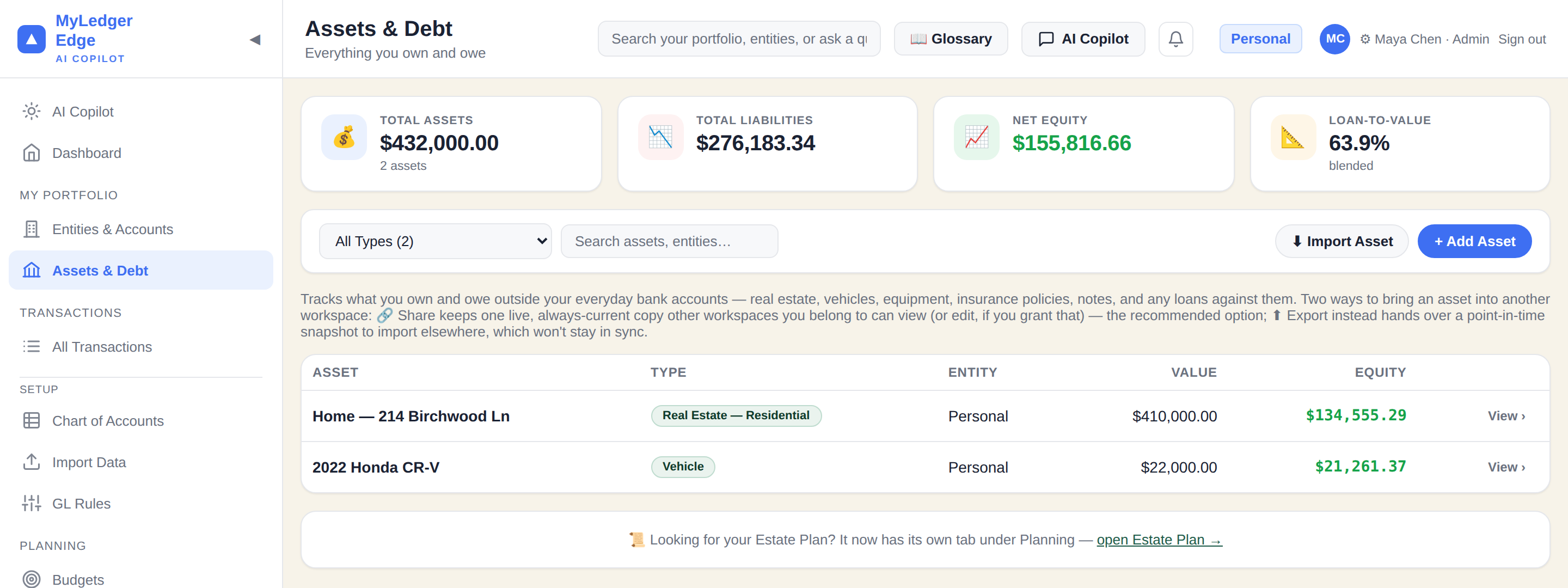
Rental properties, LLCs, family trusts, and personal accounts each keep their own books — reconciled automatically into one balance you can trust.
Your data on your server · Google Gemini AI · No third-party sharing
No stripped-down personal tier and no bolted-on business tier. Every screenshot below is the same product, pointed at a different life.
Checking, savings, a credit card, maybe a mortgage — the full ledger, sized to one person's finances.
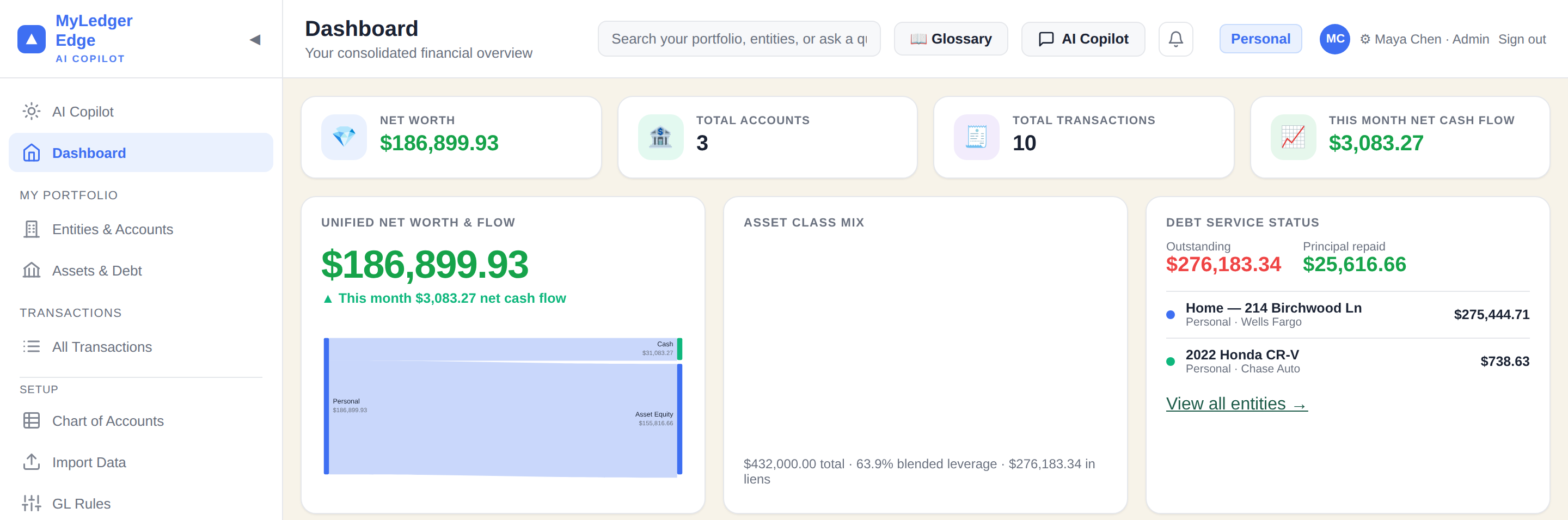
LLCs, trusts, holding companies, rental properties — each with its own books, consolidated onto one balance you can trust.
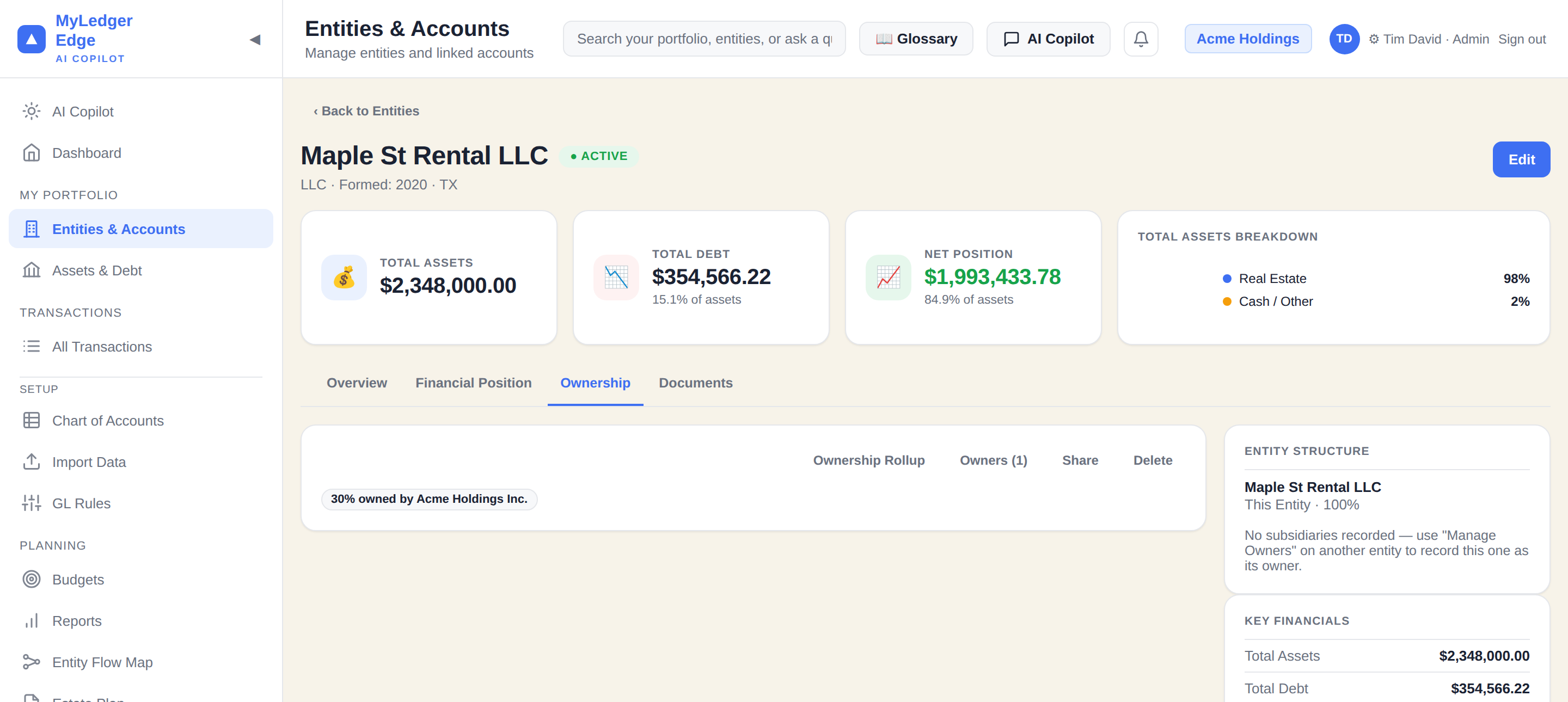
From your own checking account to a portfolio of businesses — organised, connected, and now AI-queryable. Grouped the way a real chart of accounts is: by what it touches.
Ask plain-English questions about your data. Powered by Google Gemini — free tier, 1,500 queries/day. Ask about trends, spending, budgets, and more.
Separate books for each LLC, property, trust, or personal account — consolidated on one dashboard.
Real estate (residential, commercial, land, multifamily), vehicles, equipment, insurance. Loan amortization calculated automatically.
Every property gets its own mini set of books — rent roll, YTD income & expenses, net operating income, and cap rate, calculated automatically.
Full double-entry bookkeeping with balanced debit/credit journal entries alongside regular transactions.
Auto-categorize imported transactions using pattern-matching rules. Set it once, runs on every import.
Import from any bank with column mapping, duplicate detection, and GL Rules auto-categorization.
P&L, Balance Sheet, Cash Flow, Trial Balance, General Ledger — with date ranges, print, and CSV export.
Isolated workspaces for different clients or organizations. Each with its own users, roles, and permissions.
Give any entity more than one owner — two LLCs each holding half of a third, a trust with three beneficiaries — each with its own %, managed from a real Owners list.
An interactive graph of how equity flows from every property and LLC up to Personal — built from your real owner records, not a spreadsheet you maintain by hand.
When one of your entities owns a stake in an entity that lives in a different workspace, it shows up automatically — a real read-only card with live, scaled figures, and a real edge on the Flow Map.
Track co-owned land and property deals by acreage. Percentages calculate automatically, and owners push straight onto the hosting entity's cap table with one click.
The 💬 Ask AI tab and floating chat button let you query your own financial data in plain English — including what you own indirectly, through entities that own stakes in other entities. Powered by Google Gemini's free tier. 1,500 queries/day, no credit card required.
Give any entity more than one owner, watch equity flow up to Personal on an interactive map, and see a stake your entity holds in a completely different workspace — live, with real numbers, no copy-pasting.
Ownership only ever flows one direction — from you, through however many entities sit in between, down to the asset underneath. The Entity Flow Map traces that whole chain automatically, for every asset you have a stake in, direct or not.
Invite your bookkeeper, CPA, or partner with exactly the access they need. Approval flow included.
| Role | View dashboard & reports | Add / edit transactions | Invite & manage users | Approve access requests |
|---|---|---|---|---|
| Admin | ✓ | ✓ | ✓ | ✓ |
| Bookkeeper | ✓ | ✓ | — | — |
| Read Only | ✓ | — | — | — |
Users with access to multiple workspaces choose which to enter at login. Data is fully isolated between workspaces.
Sign in with Google, create your workspace, and start asking questions about your finances.
No passwords. Your Google account secures your login.
One workspace per client, company, or portfolio.
LLCs, properties, trusts — each with their own accounts.
Upload a bank CSV. GL Rules categorize automatically.
"What's my biggest expense?" — instant plain-English answers.
Your data lives on your own server. No third party ever sees your financial data — except when you use the AI assistant.
Sign in with Google. Create a workspace. Start asking questions.
Your data · Your server · Google Gemini AI